
No-Installation and Portability
Differences Between No-Installation and Installed Versions
Section titled “Differences Between No-Installation and Installed Versions”- The no-installation version defaults to using the software’s directory as the default directory for logs, metadata files, and save data. The installed version defaults to using the user directory for these. The directories for save data and metadata files can be freely migrated to other directories in both versions.
- The installed version is equivalent to installing for the current system user; software usage data is isolated between different system users and does not affect each other. The no-installation version is equivalent to installing for all system users; all system users share the same software data.
- The installed version supports automatic software updates. However, after a software update, all data within the software’s installation directory will be reset. Therefore, the installed version prohibits setting the save data directory within the software installation directory. When the no-installation version detects a new version, it guides the user to the download page on the official website. Users need to manually download the latest version of the software files and then overwrite the original software location with the new version files (only overwrite old files, do not delete the entire software directory to avoid accidental deletion of important data).
- The no-installation version supports portability, while the installed version does not.
Portability
Section titled “Portability”What is Portability
Section titled “What is Portability”The primary use case for portability is to quickly transfer save data using removable storage devices (like USB drives). When the software itself, save data, and configuration files are all stored on a removable storage device, users can use all software functions on another terminal at any time via that device. However, the sole issue with this scenario is that the partition letter generated when using removable storage devices on different terminals can vary. After enabling portability, when the software reads key locations such as the save data directory and metadata file directory, it will automatically convert the path to the partition where the software installation directory is located, saving the trouble of manually changing software settings each time.
Enabling Portability
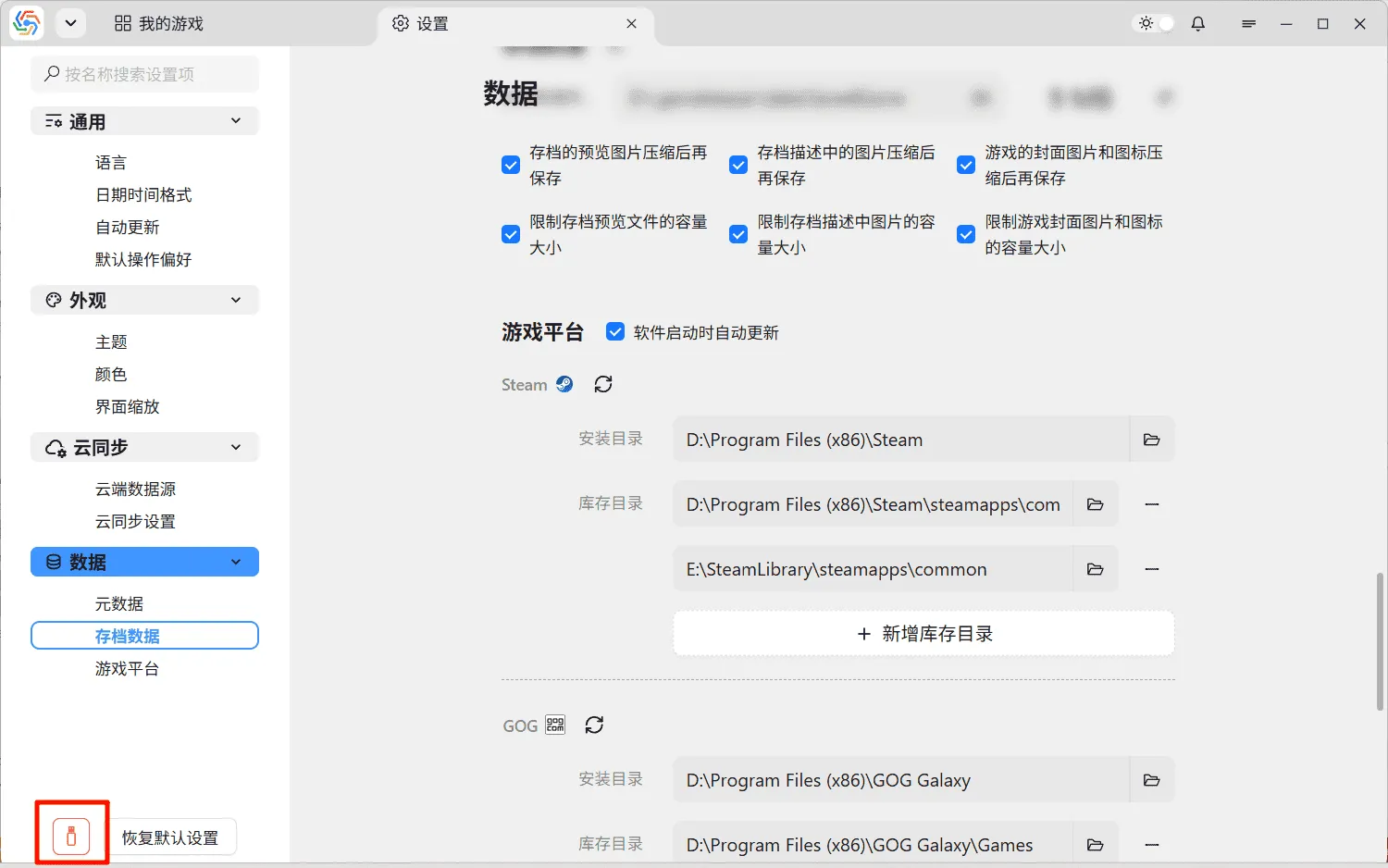
Section titled “Enabling Portability”On the settings page of the no-installation version of the software, there is a portability button to the left of the “Restore Default Settings” button. Clicking this button enables or disables the portability function. When the portability function is enabled, the save data directory, metadata file directory, and Rclone executable path can only be set on the same partition as the software installation directory: